
The MyAgroVision portal provides a feature for reporting issues directly to the support team. This allows issues to be submitted quickly and their status to be monitored.
Creating a new ticket
To report an issue:
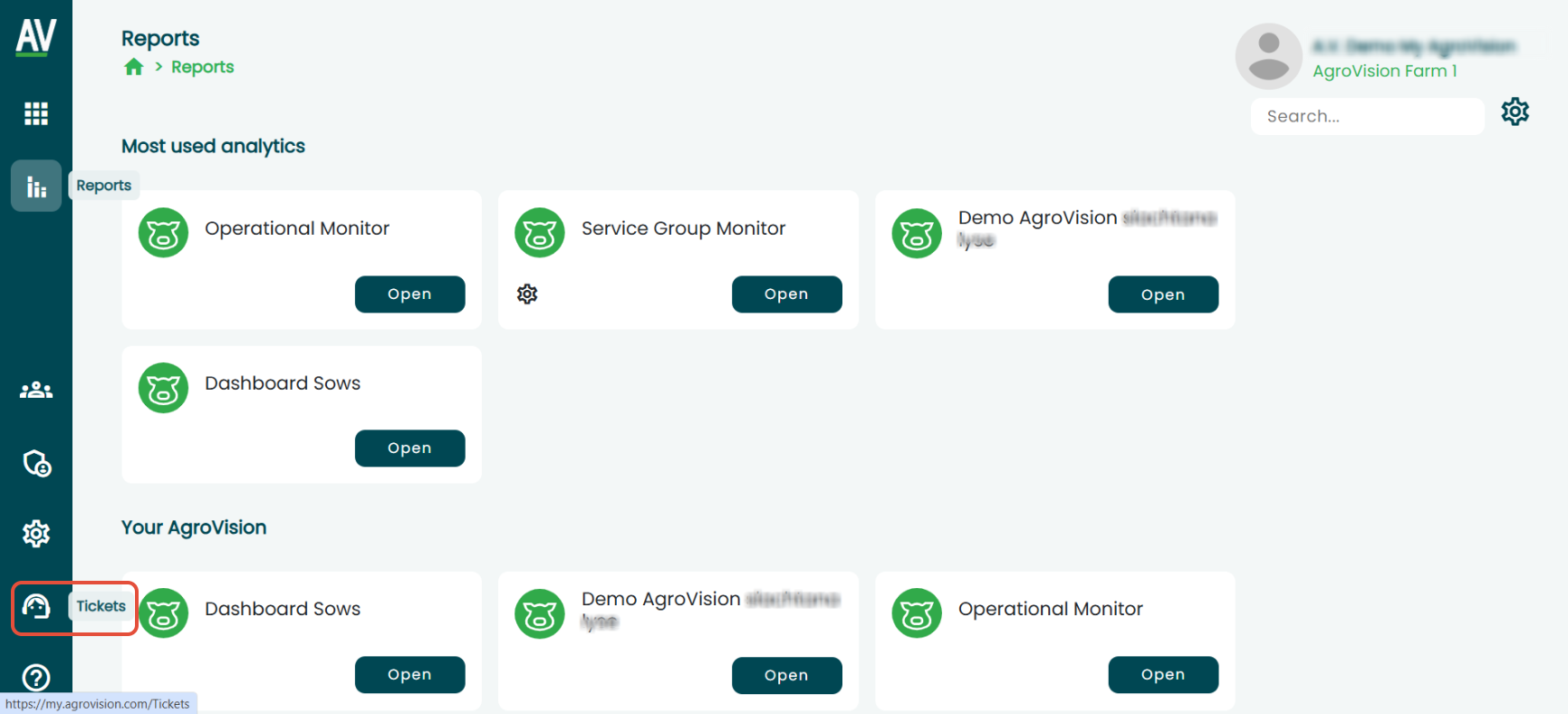
- Click the "Tickets" menu button in the lower-left corner of the screen.
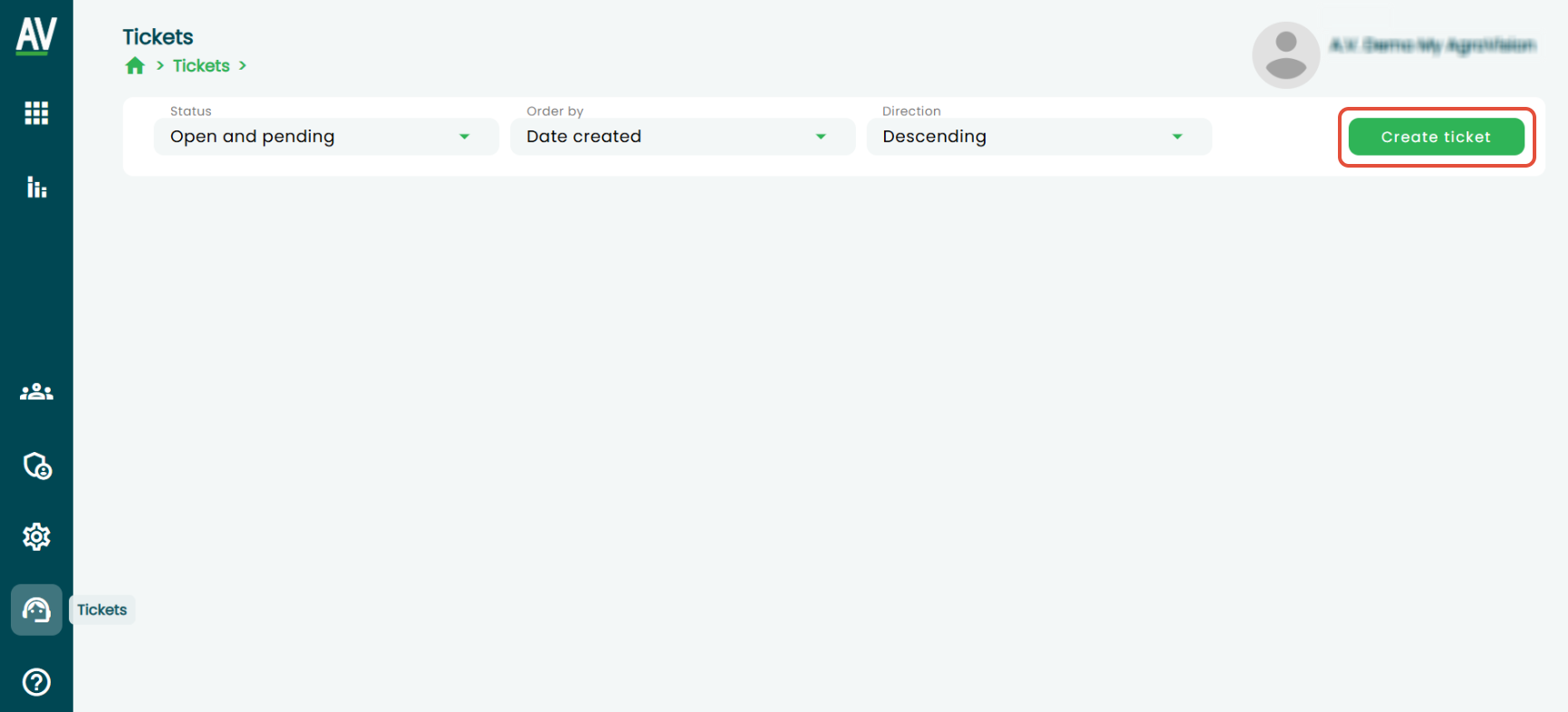
- Click "Create ticket".
- Select the appropriate "ticket type".
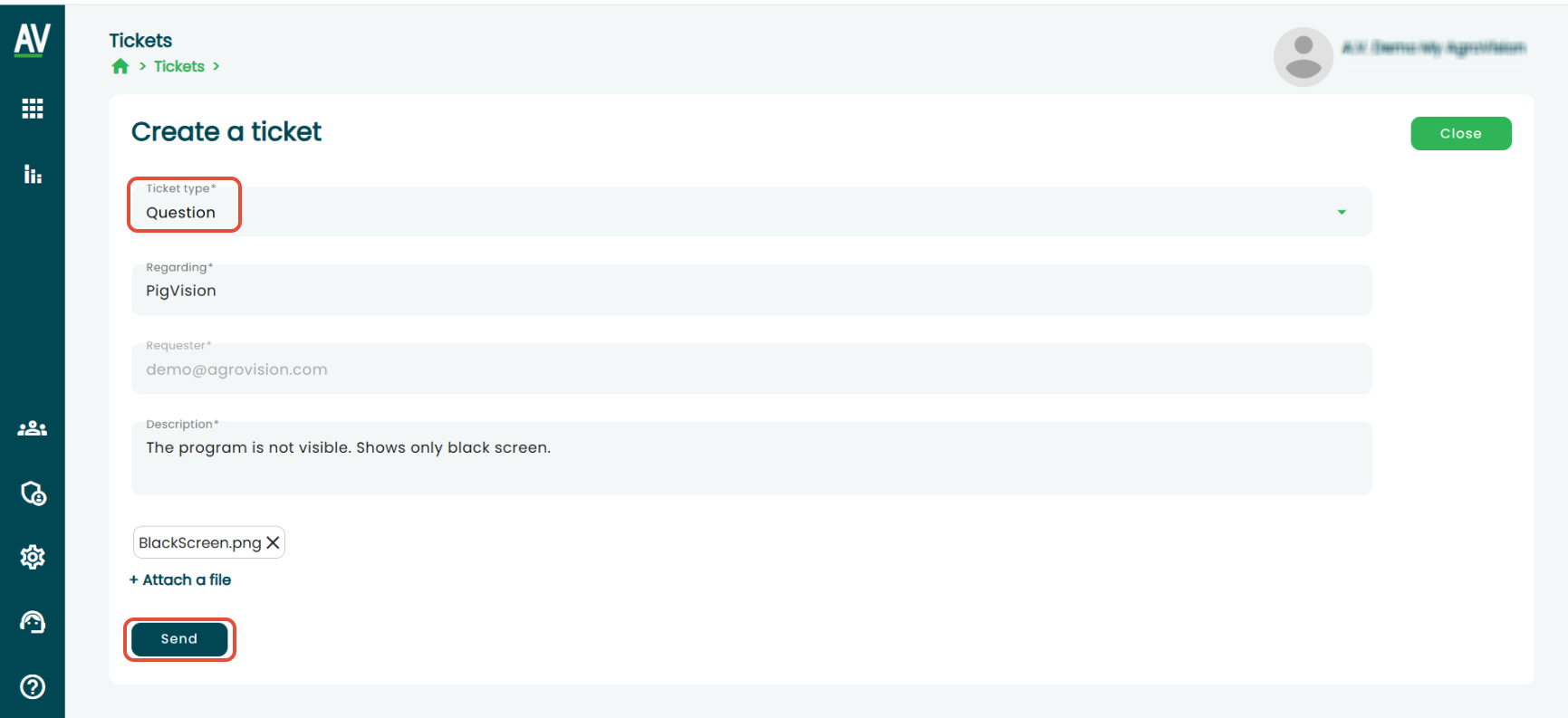
- Enter the subject of the ticket.
- Enter a detailed description of the issue.
- If necessary, add an attachment by clicking + Attach file.
- Click "Send" to submit the ticket to support.
Recommendation: The more detailed the description, the faster the issue can be resolved.
Ticket history
The portal also allows tickets to be reviewed:
- "open" tickets – currently being handled,
- "resolved" tickets – completed.
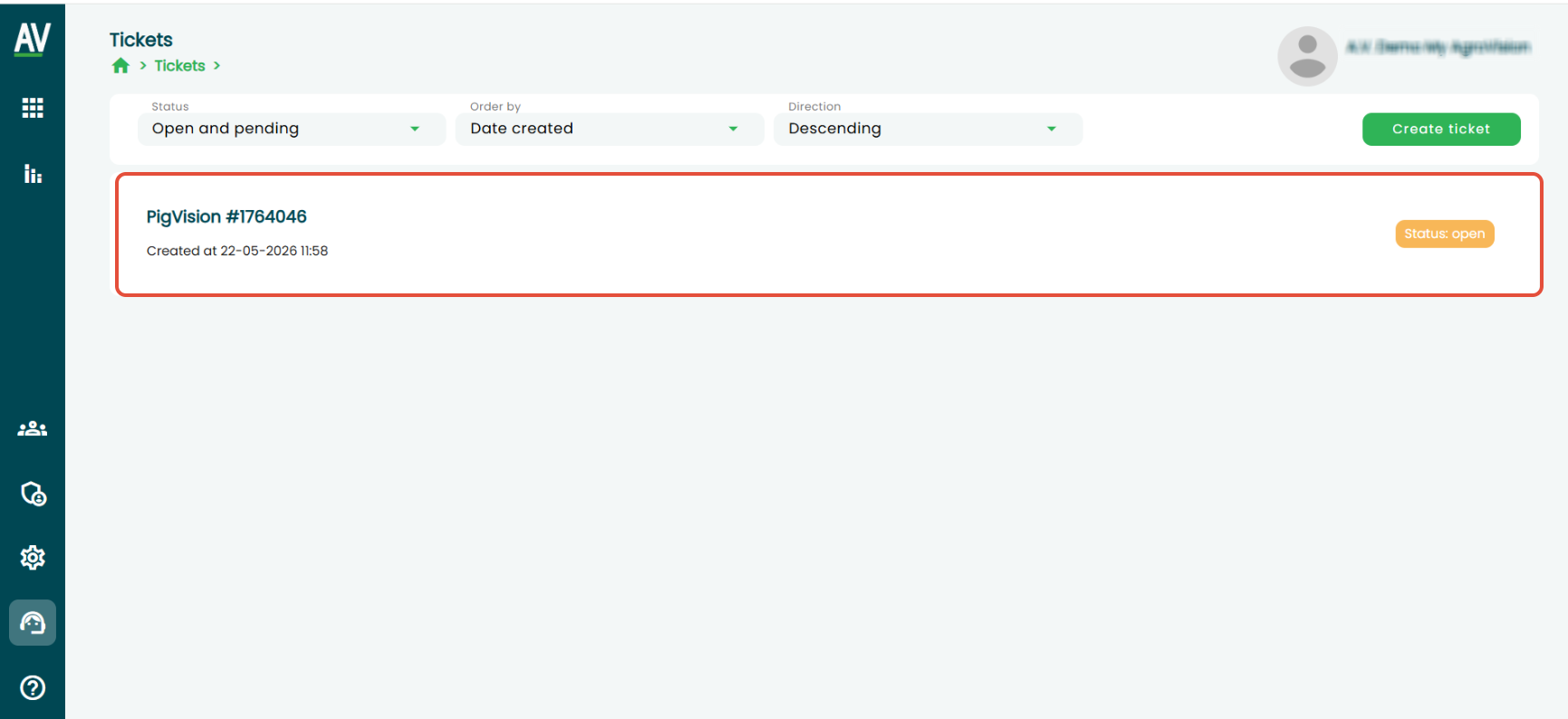
This makes it easy to monitor progress and return to previous communication.